
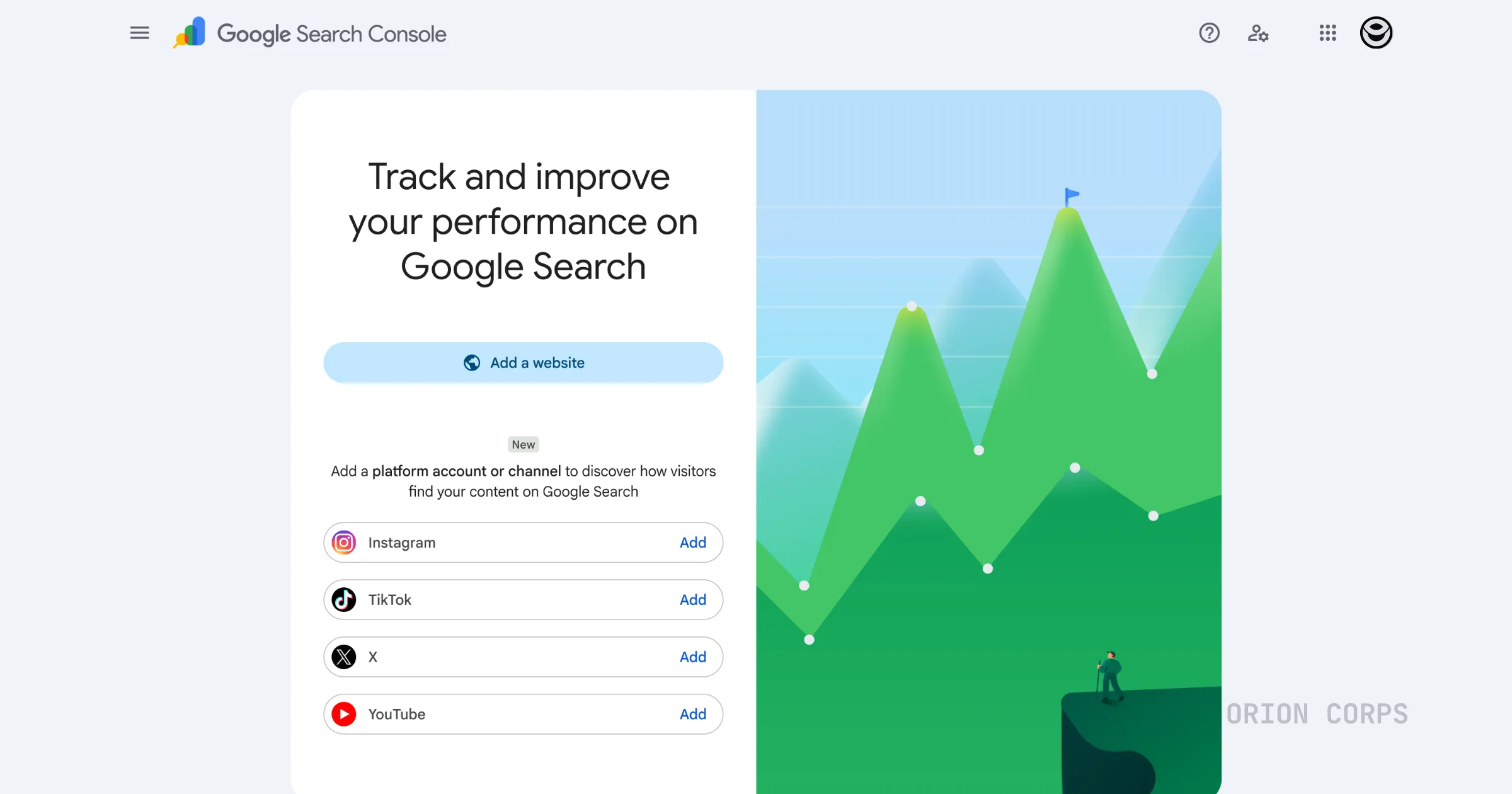
Google launched a new Search Console property type called platform properties on July 7, 2026, announced by Moshe Samet, Product Manager Lead for Search Console. It lets website owners, creators, and brands — including people with no website at all — connect an Instagram, TikTok, X, or YouTube account and see how that content performs in Google Search and Discover. The rollout is gradual over the coming weeks, so not everyone will see it in their account yet.
What actually changed
Search Console has always been a website tool. You verify a domain, Google shows you which search queries send people to your pages, and you optimize from there. If you didn't have a site, you didn't have a seat at that table.
That changed this week. Google introduced platform properties, a new way to connect an Instagram, TikTok, X, or YouTube account directly to Search Console and see how that content performs in Google Search and Discover. No domain required. No HTML file to upload. Just an account you can verify.
This matters because a huge share of content discovery has already moved off websites. People search for a recipe and land on a TikTok video. They search for a product review and end up on an Instagram Reel. Google has been indexing that content for a while. What it hasn't done, until now, is hand creators the same visibility into that traffic that website owners have had for over a decade.
Here's the gap this actually closes. Social posts have ranked in Google Search for years, but creators had no real way to confirm it, let alone measure it. A TikTok might be pulling in steady search traffic every day and the creator would never know, because TikTok's own analytics only show what happened inside the app. Google search performance was invisible unless you owned a website. Platform properties changes that by handing creators a second, independent set of numbers — one that shows how they're doing on Google itself, not just on the platform they posted to.
What you get once it's set up
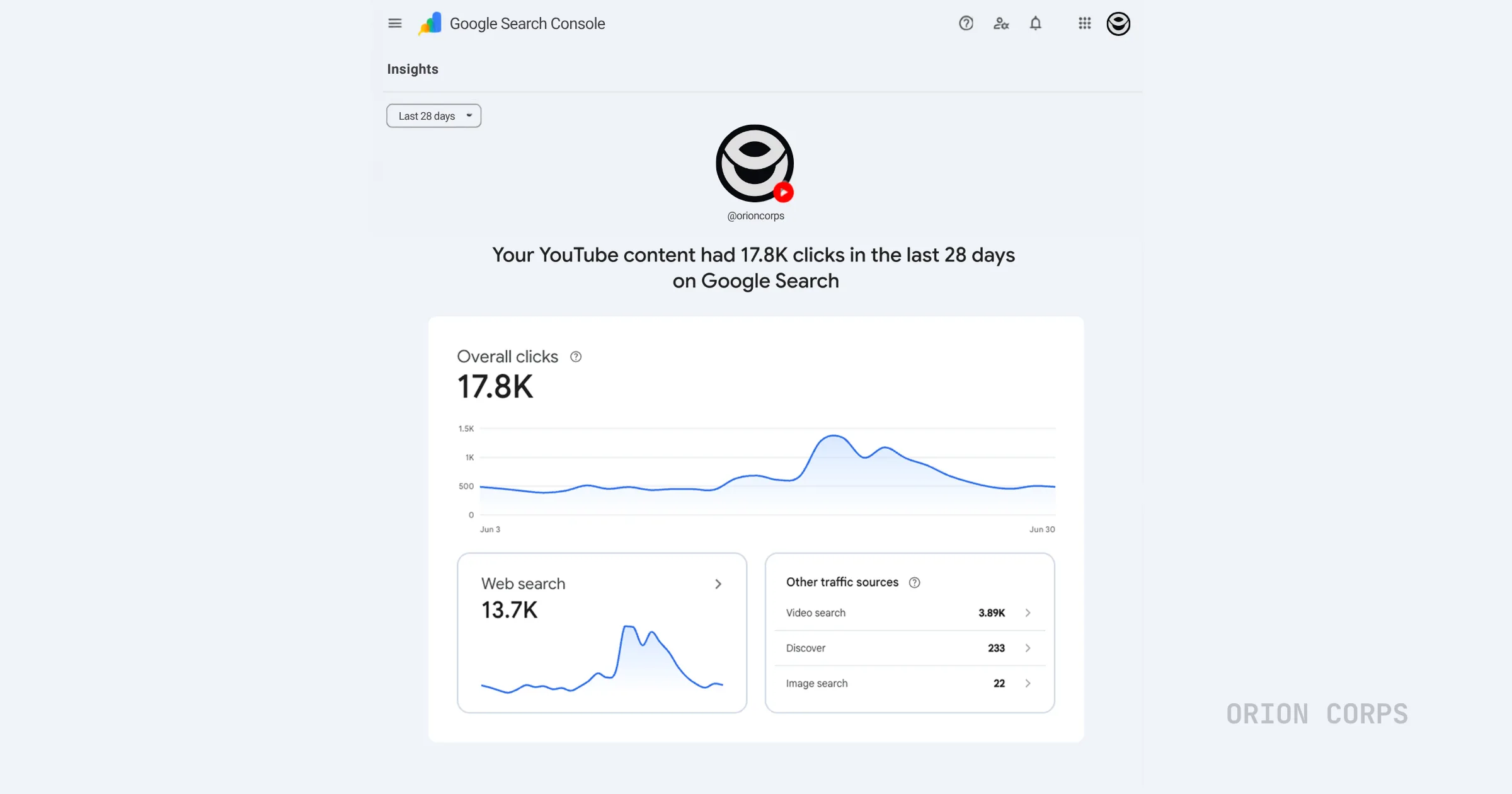
Once a platform property is connected, three sections light up inside Search Console.
The Performance report works the same way it does for a website. Total clicks, impressions, and the ability to filter by individual post or search query. If a particular Reel or video is pulling in search traffic you didn't expect, this is where you'd catch it. You can also export the raw data if you'd rather run your own analysis outside Search Console.
The Insights report gives you the higher-level view: traffic trends over time, your best-performing posts, and a sense of how people are actually finding your account through Google rather than through the app's own algorithm.
Then there's an achievements section, which tracks click milestones. It's a smaller feature, but it's a nice touch for creators who want a quick read on momentum without digging through charts.
Google's documentation flags a couple of details worth knowing here. If someone clicks your video from a Google search result and it plays inside Google's own video viewer rather than opening TikTok or Instagram, it still counts as a click for your property. Instagram Stories work the same way: they register as impressions when they show up in search, and as clicks when someone taps them. There's also a quirk in the Insights report worth knowing before it confuses you: the summary card at the top counts every click across web, image, video, and news search, but the detailed lists underneath only cover web search traffic. So the total up top won't match what you add up below, and that's expected, not a bug.
How to set it up
- Open Search Console and click the property selector at the top left
- Select "Add property"
- Choose the platform you want to connect: Instagram, TikTok, X, or YouTube
- Follow the verification steps for that platform
The verification step is worth pausing on. Because you don't own the underlying code for someone else's platform, Google can't use its usual domain-verification methods. Some accounts — X in particular — may verify with fewer steps. Others will likely require a more direct authorization through the platform itself. If you don't see the option yet, that's expected. Google confirmed this is a staged rollout, so availability will vary by account for the next few weeks.
One more thing to know: Google periodically rechecks that you still own the connected account. If your login token with that platform expires, your property pauses until you re-verify. Your historical data stays intact through that gap, and once you reconnect, reporting picks back up without making you wait for data to accumulate again.
Platform properties vs. Search profiles vs. the old social channels test
Google has shipped three related but different things over the past seven months, and they get confused constantly. Here's the difference.
| Feature | Launched | What it does |
|---|---|---|
| Social channels (Search Console Insights) | December 2025 | Early experiment pulling limited social data into Insights |
| Search profiles | June 2026 | Public, shareable pages that showcase a creator's content to followers |
| Platform properties | July 2026 | Private analytics dashboard showing how social posts perform in Search |
Search profiles are outward-facing. They're a page other people can visit. Platform properties are the opposite: a private dashboard only the account owner sees, built purely for analytics. One is for your audience. The other is for you.
Why Google built this now
Google didn't roll this out because creators asked nicely. It rolled it out because search behavior has already shifted, and Google would rather measure that shift than lose visibility into it.
TikTok has spent the last two years positioning itself as a search engine in its own right, particularly with younger users who default to it over Google for recommendations and reviews. Instagram and YouTube have leaned into the same behavior. Every minute someone spends searching inside those apps instead of Google's own search bar is a minute Google isn't seeing.
Platform properties is Google's way of staying in that loop. By giving creators a reason to check Search Console for their social performance, Google keeps its own analytics relevant even as the actual searching happens on someone else's app. It's a defensive move dressed up as a feature launch, and it's a smart one.
What this means if you're a creator
If you've never had a website, this is the first time Google has handed you real numbers instead of guesswork. Up until now, you had whatever analytics TikTok or Instagram gave you internally, and no visibility at all into how Google Search itself was sending people your way.
That changes the leverage creators have in brand conversations. Follower count is easy to inflate and easy to dismiss.
"1,200 people found this video through a Google search for [your keyword]"
That is a different kind of proof. It's the same kind of data website owners have used to justify ad rates and partnership pricing for years, now available to anyone running a TikTok or Instagram account.
It also changes how you might write captions and titles going forward. Optimizing purely for the in-app algorithm and optimizing for Google Search overlap, but they aren't identical. Once you can see which search terms actually bring people in, expect creators to start writing titles and descriptions with that data in mind rather than guessing.
If you're building a following without a website, I'd stop treating this as a dashboard you check once and forget. It's the closest thing to real proof you've had that Google search actually cares about what you're posting, not just the app's own algorithm. That's worth building a habit around, not just glancing at once out of curiosity. If you ever want a second pair of eyes on what your search data is actually telling you, this is the kind of thing we dig into over at Orion Corps' SEO practice.
What it means for website owners
If you already run a site, don't skip this. Most brands and publishers now run content across a website and at least two or three social platforms. Right now, that data lives in separate dashboards that don't talk to each other. Platform properties is the first step toward viewing all of it side by side inside one tool.
The practical value is in comparison. You can finally see whether a given campaign performed better as a blog post or as a Reel, using the same metrics, in the same place. That's the kind of decision most teams have been making on instinct.
This is also a reminder that discoverability isn't only a website problem anymore. A site with clean technical SEO and no distribution strategy across social is leaving traffic Google is actively tracking. I run into this constantly with clients — a site is technically solid but nobody's ever looked at how it performs next to the brand's Instagram or YouTube in the same view.
Need help with this?
We audit web and social search performance together — in one view.
What to do this week
Check whether platform properties has appeared in your Search Console account. If it hasn't, that's normal, given the gradual rollout. If it has, connect whichever platform accounts you actively post to and let a few days of data build up before drawing conclusions. Then compare it against whatever native analytics that platform already gives you. The value here isn't the dashboard itself — it's what you do with the overlap between platform data and Search data.
Ready to put this to use
The brands and creators who connect their web and social data first will be the ones making decisions with real numbers while everyone else is still guessing. If you want help setting up your platform properties correctly or want a full audit of how your website and social accounts perform together, we can help.
Frequently Asked Questions
What is a platform property in Google Search Console?
It's a new property type that lets you connect an Instagram, TikTok, X, or YouTube account to Search Console so you can track how that content performs in Google Search and Discover, without needing a website.
Do I need a website to use platform properties?
No. You can verify a supported social account directly through Search Console without owning a domain. This feature was built specifically for creators who've never had a site to verify.
Which platforms are supported right now?
Instagram, TikTok, X, and YouTube, as of the July 2026 launch. Google hasn't confirmed whether more platforms will be added later.
How is this different from Search profiles?
Search profiles are public pages that showcase your content to followers. Platform properties are private, analytics-only, and visible only to the account owner.
How is this different from a platform's own native analytics?
Native analytics show what happened inside the app — views, likes, shares. Platform properties shows something the app can't: how people found that content through a Google search in the first place, and it has no visibility into in-app engagement.
How long does it take for data to appear after connecting an account?
Typically a few days. Google needs time to process the metrics before your Performance and Insights reports start filling in.
What happens if my account login token expires?
Google periodically rechecks account ownership. If the connection lapses, data tracking pauses until you re-verify, but nothing is lost — your historical data stays put and reporting resumes once you reconnect.
Will Google count a click if someone watches my video inside the Google Search results page?
Yes. If a video plays inside Google's own viewer instead of opening TikTok or Instagram, it still counts as a click for your property.
Why can't I see platform properties in my Search Console account yet?
Google is rolling this out gradually over several weeks, so availability depends on your account and may take time to appear.
Who should I talk to if I want help setting this up or making sense of the data?
Most agencies will figure this out eventually, but right now it's new enough that few have actually touched it. We've already been through the setup and know what the numbers are actually telling you versus what looks interesting but doesn't matter. If you'd rather not figure it out alone, that's the kind of thing we help with at Orion Corps.